Notifications & Activity
Stay updated on mentions, invitations, and workspace activity.
Press Cmd+I to open the notification panel. It shows mentions, invitations, and a full activity log for your workspace.
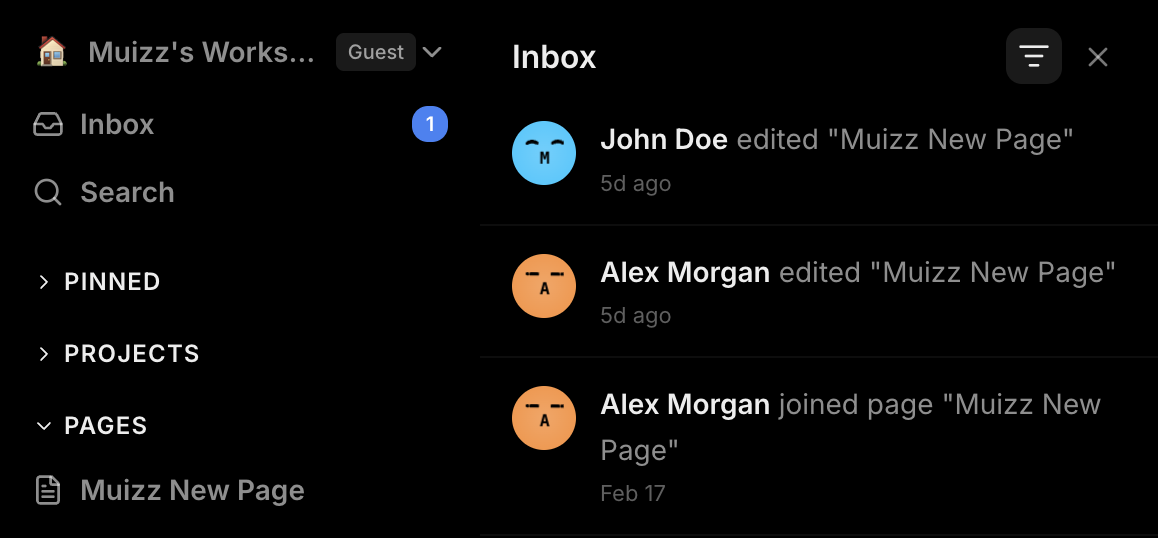
Notifications tab
The Notifications tab shows events that need your attention:
- Mentions — when someone @mentions you in a note or todo item
- Invitations — when you're invited to a workspace, project, or page
- Role changes — when your permissions are updated
- Removals — when you're removed from a shared item
Click any notification to navigate directly to the relevant page or project. Unread notifications are indicated with a badge on the bell icon in the header.
Activity tab
The Activity tab is a chronological log of everything happening in your workspace — pages created or deleted, projects modified, members invited, and more. Each entry shows who performed the action and when.
Mark as read
Click a notification to mark it as read, or use the Mark all as read button to clear all unread notifications at once.